Introduction of Grammarly
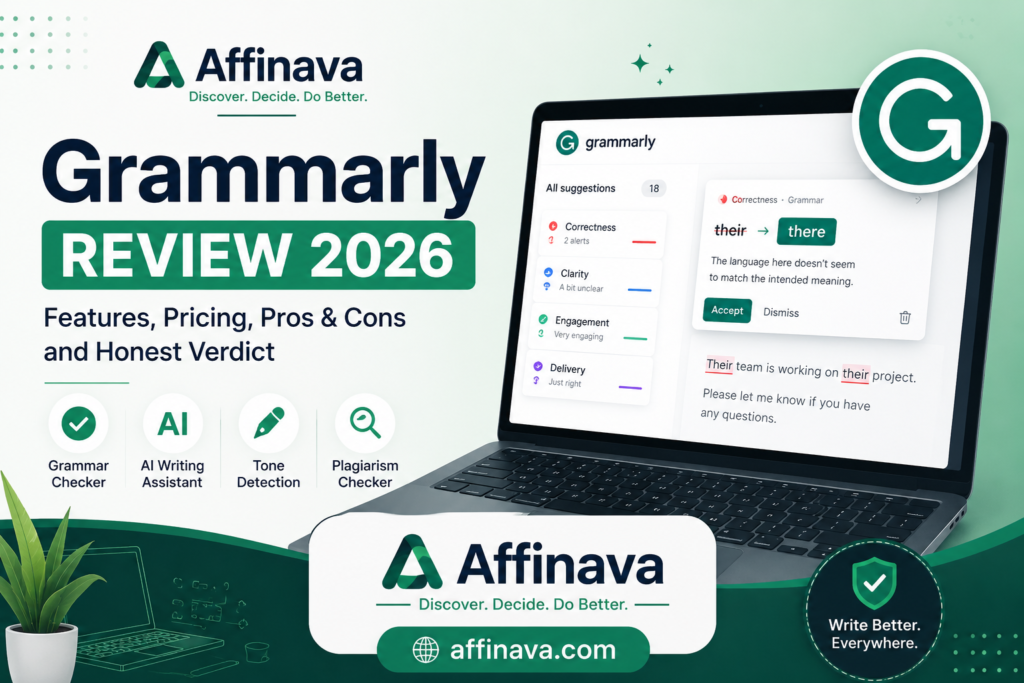
Grammarly was founded in 2009 by Max Lytvyn, Alex Shevchenko, and Dmytro Lider. The company initially offered a subscription-based product intended to help students improve their grammar and spelling. That product was subsequently developed into a writing assistant that checks the grammar, spelling, and tone of a piece of writing. Grammarly had a million active daily users and began offering its flagship product via a freemium model. It also launched a browser extension for Chrome, Safari, and Firefox, as well as an add-on for Google Docs. After exploring Grammarly, I prepared the Grammarly review in 2026.
What is Grammarly AI?
Grammarly is one of the most popular AI writing assistants for English writing. It began as a tool to review the spelling, grammar, and tone of a piece of writing and to identify possible instances of plagiarism. In 2025, it has integrated extensive generative AI tools. And it includes options to generate essays from scratch, to suggest and insert citations, and to “humanize” the text to avoid it being flagged as AI-generated.
And to predict grades based on user input on the instructor, the course, and the university. It can also make stylistic and tonal recommendations. An “Expert review” feature, which attributed Grammarly’s editing suggestions to subject-matter experts in various fields, was discontinued in March 2026 due to criticism and complaints.
What Does Grammarly Do?
Grammarly is a freemium software product (you can upgrade to a paid version for more features). The tool can help you check for several types of writing errors. After researching Grammarly, I considered the follows.
- ✅ AI Writing Assistant: An AI writing assistant acts as a digital co-writer, editor, and proofreader powered by machine learning algorithms. Like Contextual Corrections, GenAI Drafting, real-time feedback, etc.
- ✅ Grammar Checker: Grammarly can check your spelling and grammar. But it’s not just another proofreader. It works better than Word’s native spell checker. Its free version rivals any other free app out there. Its spelling and grammar checker is highly accurate and helpful. It even helps with comma and full stop placement.
- ✅ Spell Checker: By focusing on grammar mistakes, it doubles as a spell checker. While this is a feature in most writing tools (Microsoft Word, Scrivener, etc.), it’s much easier to check your spelling errors alongside grammar, especially as you make more changes.
- ✅ Rewrite Feature: The best feature of Grammarly is that it will help you self-edit your work. It provides examples of why something is a grammatical mistake and how you can improve it. As you begin to make changes, the tool will give you words of encouragement and increase your overall score.
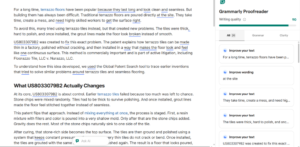
- ✅ Tone Detection: Tone detection analyses your word choice, phrasing, and sentence structure to identify how your message will sound to a reader. Such as Emotional Analysis, Audience Alignment, Style Adjustments, etc.
- ✅ Browser Extension: For Google Chrome, Safari, Firefox, and Microsoft Edge, the Grammarly extension is intuitive, easy-to-use, and highly accurate. The browser extension automatically checks your comments, blog posts, tweets, Facebook posts, and emails.
- ✅ Microsoft Word Integration: Grammarly is retiring the older Grammarly for Microsoft Office add-in, and Grammarly for Microsoft Word has been discontinued. For using Grammarly in Word now, install Grammarly for Windows. Once it’s installed, Grammarly can show suggestions in supported apps and websites, including Microsoft Word.
- ✅ Google Docs Integration: Google Docs integration embeds the writing assistant’s tools directly into your cloud-based document workspace. Such as Inline Highlights, Cloud Syncing, etc.
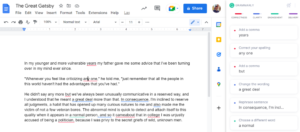
- ✅ Mobile Keyboard: Grammarly Keyboard for Android or others will check all your writing through your keyboard even when you’re away from your computer. Mobile keyboard behavior can vary by device and operating system, so check the current Android app details if swipe typing is important to you.
- ✅ Plagiarism Checker (Pro Only): Grammarly Pro includes plagiarism detection, which can help you spot text that matches existing online sources. Grammarly also offers AI detection, which is treated as an estimate rather than proof that a passage was or wasn’t written by AI.
This is a Grammarly review, and it was prepared after exploring Grammarly. For more updates and to find the exact plan, please visit Grammarly Review, providing the link. Grammarly.com
Pricing rate of Grammarly AI
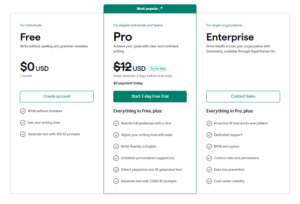
Grammarly now centers its paid self-serve offer around Grammarly Pro, which supports individuals and teams. Free users still get basic grammar, spelling, tone, and AI prompt access, while enterprise remains a custom-priced tier for organizations that need stronger governance and security. Remember that this is Grammarly Review when I explore Grammarly. If you are interested in buying any plan through the Grammarly review, please visit their website, grammarly.
This article contains affiliate links. If you purchase through these links, I may earn a commission at no extra cost to you.
Pros
- Real-time spelling and grammar checker
- Easy to use
- Simple explanations
- High accuracy rate
- Personal dictionary
- Desktop and mobile capabilities
- Weekly report card
Cons
- No Scrivener integration
- Aggressive advertising
- Grammarly only supports English
Feature Comparison
Grammarly is best for fast, cross-app everyday communication, while ProWritingAid is designed for deep, long-form manuscript editing.
|
Feature |
ProWritingAid |
|
| Best For |
Emails, short prose, business |
Novels, long manuscripts |
| Integrations | 500,000+ apps, robust mobile |
Native Scrivener, MS Word |
| Style Reports |
Standard tone and clarity |
25+ specialized analysis reports |
| Plagiarism Check |
Included for free in paid tier |
Paid add-on/separate pack |
| Mobile Apps | Native Android & iOS keyboards |
No mobile keyboard |
I tested Grammarly on a blog draft containing grammar mistakes and awkward sentences. It quickly highlighted the errors and suggested clearer alternatives, making the content easier to read.
Alternatives of Grammarly AI
Quillbot and ProWritingAid are the top overall alternatives to Grammarly, offering deeper stylistic analysis and superior text paraphrasing. You can check out alternative writing assistants directly on ProWritingAid, Quillbot, LanguageTool, and Hemingway Editor.
FAQs of Grammarly Review
1. Is Grammarly free?
Yes, a robust basic version is entirely free, while Premium/Pro tiers unlock advanced clarity, tone edits, and expanded AI tools.
2. Does it work offline?
No, an active internet connection is required to analyze text and generate suggestions.
3. What languages are supported?
It primarily checks English text (including American, British, Canadian, Australian, and Indian English), but its integrated AI tools can translate and process prompts across multiple languages.
4. How do I manage my subscription?
Visit the Grammarly Dashboard to update settings, edit documents, or change subscription tiers.
5. Can I use it on multiple devices?
Yes, you can log into your account on multiple computers and mobile devices simultaneously.
6. Why isn’t the add-in starting?
If you face errors in Word or Outlook, ensure Microsoft Office is activated. And it tries reinstalling Grammarly with administrator privileges.
Verdict: Is Grammarly Right for You?
Grammarly is an excellent choice for users who write in English regularly. While the free version covers basic grammar and spelling, the premium plan is more suitable for professionals. And who need advanced writing suggestions and plagiarism detection. After exploring Grammarly, it is right for just about everyone who writes in English, even if you only write on Facebook or Instragram.
Nobody’s perfect; everyone can make mistakes. knowingly or unknowingly. Grammarly improves your writing, prevents embarrassing mistakes, and helps you learn tidbits of grammar you may not have known before. I believe Grammarly Pro is more than worth it when you save money by billing annually. However, the free version is leagues better than Word’s spell checker, so it’s still worth a free download if you don’t want to spend the money.
This article contains affiliate links. If you purchase through these links, I may earn a commission at no extra cost to you.
If you need a Canva, Gamma, or Google NotebookLM review, please visit the link. This is a Grammarly review; if you need like more reviews like software deals or WP themes, please follow the link.