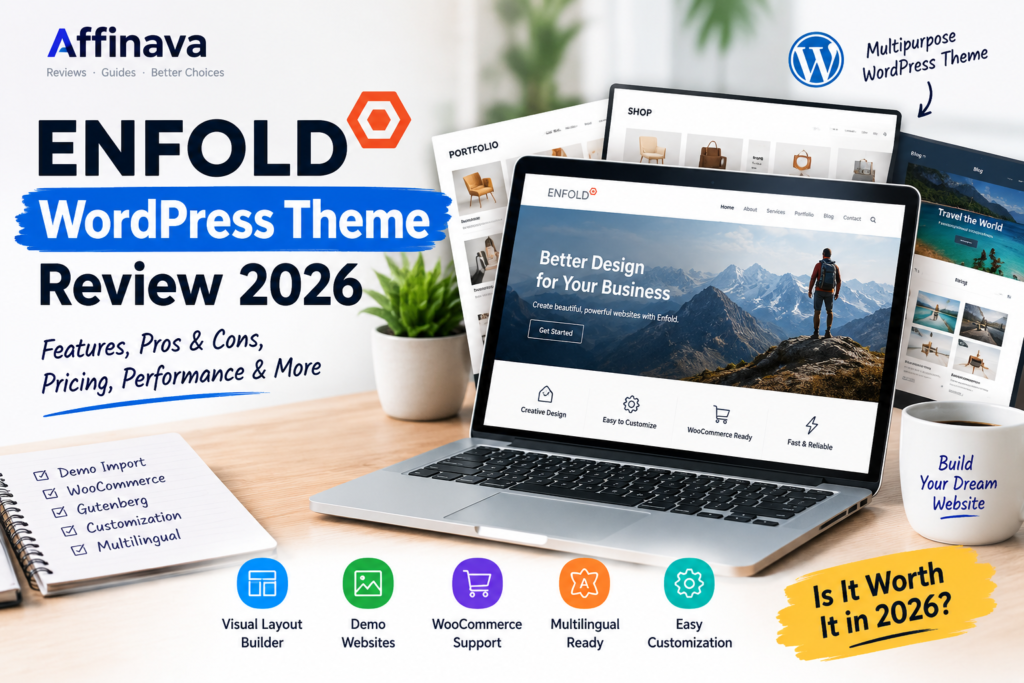
Enfold WordPress Theme Review 2026
Choosing a WordPress theme can be surprisingly difficult. There are thousands of themes available, and most of them look great when you first see the demo. The real question is what happens after you install the theme and start building your own website.
Enfold is one of those WordPress themes that has been around for years and still has a large user base. It is developed by Kriesi and is available through ThemeForest. At the time of writing, Enfold is listed at $59 on ThemeForest and has more than 271,000 sales. It was also updated in September 2026.
So, is Enfold still good?
What Is Enfold?
Enfold is a multipurpose WordPress theme designed for different types of websites. You can use it for a business website, blog, portfolio, agency website, travel site, online store, and more.
One thing that makes Enfold different from many modern themes is its own visual layout-building system. Instead of relying entirely on a third-party page builder, Enfold provides its own Avia Layout Builder for creating page layouts.
The theme also provides ready-made demo websites, which can make the initial setup considerably easier.

Enfold WordPress Theme Review: Key Features
1. Built-in Layout Builder
The built-in layout builder is one of Enfold’s main features. You can arrange columns, sections, and different content elements using a visual interface.
For someone who doesn’t want to deal with code, this can make creating pages much easier.
2. Ready-to-Import Demo Websites
Starting a website from an empty WordPress installation can take time. Enfold addresses this with its demo importer.
You can import demo content and settings and then replace the sample content with your own.
This is particularly useful for beginners who want to get a website online quickly.
3. WooCommerce Support
If you want to build an online store, Enfold supports WooCommerce. That means the theme can be used for product pages, shopping carts, and other standard WooCommerce functionality. ThemeForest currently lists compatibility with recent WooCommerce versions.
4. Gutenberg Compatibility
Enfold is listed as Gutenberg optimized on its ThemeForest listing. This is important because WordPress has increasingly moved toward the block editor.
However, users should understand that Enfold’s own layout system remains an important part of the theme experience.
5. Multilingual Support
Enfold supports translation and is optimized for WPML. This can be useful if you are planning a multilingual website rather than publishing only in English.
6. Plenty of Customization Options
Enfold provides a large number of options for changing layouts, colors, typography, headers, menus, and other design elements.
The official documentation also covers features such as mega menus, custom CSS, footer settings, breadcrumbs, and other customization options.

Enfold WordPress Theme Review: Pros and Cons
Pros
- Beginner-Friendly: Easy to configure through a centralized Theme Options panel rather than endless nested menus.
- No Subscriptions: Unlike many modern builder themes, it is a single one-time payment.
- Reliable Support: Backed by an active developer team and extensive documentation/forums.
Cons
- Proprietary Builder: The Avia Layout Builder is less modern compared to block-based full-site editing or popular builders like Elementor or Divi.
- No WordPress Customizer: It bypasses the native WordPress Customizer interface, which can feel alien if you prefer standard workflows.
- Support Renewal Costs: Dedicated support expires after 6 months and requires a separate renewal fee.
What I Like About Enfold
There are several things that make Enfold interesting even in 2026.
The biggest advantage is its maturity. This isn’t a brand-new theme that appeared last month. It has been around for a long time and has a large number of users.
I also like the fact that many important tools are integrated into the theme instead of requiring several additional plugins.
The demo import system is another practical feature. If you already know what type of website you want, starting from a pre-built design can save a lot of time.
The theme also continues to receive updates.
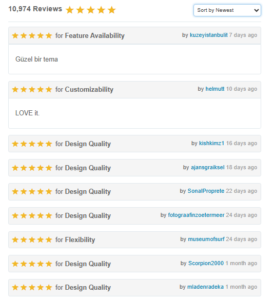
Enfold WordPress Theme Review: Customer Review
What I Don’t Like
Enfold isn’t perfect, and there are a few things you should consider before buying it.
First, its interface may feel different if you’re already comfortable with modern WordPress builders such as Elementor.
The built-in Avia Layout Builder is powerful, but someone coming from a different page-builder ecosystem may need some time to learn it.
Another consideration is that Enfold is a multipurpose theme. It offers many features, but users who prefer a very lightweight and minimalist WordPress setup may prefer a simpler theme.
In other words, more features aren’t automatically better for every website.
Is Enfold Beginner-Friendly?
For beginners, I would say yes, but with a small learning curve.
The demo importer and visual layout builder certainly make things easier. The official documentation also provides step-by-step guides for installation, demo importing, and setting up the layout builder.
However, if you’ve only used the default WordPress block editor, the number of options inside Enfold may initially feel overwhelming.
Give yourself some time to explore the theme before building an important website.
Who Should Use Enfold?
Enfold can make sense for:
- Small and medium-sized businesses
- Agencies
- Bloggers
- Portfolio websites
- Service-based businesses
- WooCommerce stores
- Travel websites
- Users who want ready-made website demos
It can be especially useful if you want a multipurpose theme rather than a theme designed for only one specific type of website.
Who Might Want Something Else?
Enfold may not be the best fit for someone who wants an extremely lightweight theme with minimal customization options.
It may also not be the most comfortable choice if your entire workflow is already built around another page builder.
Before buying, I’d recommend checking the demo and deciding whether you actually like working with Enfold’s own builder.
Enfold vs Modern WordPress Themes
Enfold takes a different approach to website building compared with many newer WordPress themes. Here are a few important differences to consider.
-
Page Builder
Enfold includes its own Avia Layout Builder for creating page layouts. Other themes may rely more heavily on the WordPress block editor or third-party page builders. The best option depends on which editing experience you prefer.
-
Performance and Speed
Enfold’s performance depends on how the website is built, which plugins are installed, and how well the site is optimized. Lightweight themes may offer a simpler starting point, but actual performance should be checked with speed tests.
-
Customization
Enfold provides many design and layout options through its theme settings and built-in builder. Other themes may offer different ways to customize headers, footers, and page templates.
-
Ease of Switching Themes
Because Enfold uses its own layout-building system, switching to another theme may require some extra work. Before buying, consider whether you may want to change themes in the future.
-
Pricing
Enfold is sold as a premium theme through ThemeForest. Other WordPress themes may offer free versions, premium upgrades, or different subscription plans. Compare the current prices and included features before deciding.
One interesting question is whether an older, established theme like Enfold can still compete with newer WordPress themes.
The answer depends heavily on what you need.
Newer themes often focus heavily on speed, block editing, and modern page-building workflows. Enfold takes a different approach by providing a mature ecosystem with its own layout builder, demos, and extensive customization options.
So I wouldn’t choose a theme simply because it is newer.
Instead, look at your workflow. If Enfold’s approach makes sense to you, its age isn’t necessarily a problem.
Enfold WordPress Theme Review: Final Thoughts
Enfold isn’t trying to be the newest WordPress theme on the market. Its strength is its long history, large user base, extensive features, and established ecosystem.
At $59 on ThemeForest, it sits in the same general price range as several other popular premium WordPress themes.
For someone looking for a multipurpose WordPress theme with a built-in layout builder, demo imports, WooCommerce support, and plenty of customization options, Enfold is certainly worth investigating.
But before buying, I’d recommend trying the demo and checking whether you actually enjoy working with its builder. A theme can have hundreds of features, but the right theme is ultimately the one that fits your workflow.
Affiliate Disclosure: This article contains affiliate links. If you purchase through these links, Affinava may earn a commission at no additional cost to you. Our opinions remain independent.
If you’re exploring more WordPress themes, read our ThemeForest Review to learn more about the marketplace and what to consider before buying a theme.