Gamma AI Review
Gamma AI is a highly rated, web-native AI tool that generates presentations, documents, and webpages from text prompts. It has become popular for its speed, clean layouts, and modern presentation style. However, users note that its non-traditional, card-based format can cause formatting issues when exporting to rigid 16:9 files like PowerPoint. It was founded in 2020 by Grant Lee, James Fox, and Jon Noronha. Gamma serves 70 million+ users as of 2026, with a $100M ARR and a $2.1B valuation.
What is Gamma AI?
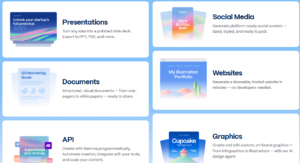
Gamma AI (gamma.app) is a web-native AI tool that generates presentations, documents, websites, and social posts from a text prompt in under 60 seconds. It is best for quick first drafts, internal updates, and web-shared decks but weaker for client-facing presentations that need clean PowerPoint exports; its card-based web architecture does not map to fixed 16:9 slide dimensions. After researching its features and workflow, I found Gamma AI to be one of the most practical AI presentation tools for students, teachers, and marketers.
Key Features of Gamma AI
- Flexible Card System: Instead of traditional slides, Gamma AI uses a flexible card-based system that makes presentations easier to organise and edit.
- Smart Layouts: This feature helps you visually structure your key points in seconds. You can use Smart Layouts to instantly organise content into comparative boxes, multi-column grids, timelines, and more without having to manually align anything.
- One-Click Themes: While keeping the content intact, a user can quickly transform their entire Gamma AI presentation style with a single click. It is effortless to explore different visual themes, colours, and typography.
- Rich Media & App Integrations (Gamma’s Superpower): Gamma AI supports diverse features far beyond basic text. You can embed YouTube videos, TikToks, Spotify tracks, and even interactive tools like Miro boards, Airtable databases, and Google Forms directly into your presentation.
- Advanced AI image generation: Create AI images directly on the slide with the platform. With Gamma, you can pick which model you’d like to use—we offer Flux Fast or Ideogram 3.0 Flash for free users and more advanced models for Pro users.
- Advanced Charts & Data: This feature allows you to bring complex data to life in seconds. Classic options such as pie charts or bar graphs can be added easily, and the built-in editor lets you update data points, labels, and legends instantly without leaving the app.
Pricing of Gamma AI
Gamma AI, or gamma.app, provides a freemium model. The free plan gives you a generous starting amount of AI credits (about 400 credits, when I researched) but adds Gamma watermarks to your tasks. Paid plans (Plus and Pro) start around $8 to $15 per month, offering unlimited AI generations, custom branding, and the removal of the watermark.
Individual Plans:
- Free: $0
- Plus: $9 / month
- Pro: $18 / month
- Ultra: $90 / month
Team Plans:
- Team: $20 / month
- Business: $40 / month

If you buy or use the free plan, please visit Gamma AI Review.
Pros
- Web-First Sharing
- Brand Consistency
- Visually Engaging Layouts
- Unmatched Speed
Cons
- PowerPoint Export Bugs
- Limited Pixel-Perfect Control
- AI Image Inconsistencies
My Honest Experience or Gamma AI Review
Gamma AI is really the most popular AI tool for generating presentations, documents, and webpages from text prompts. While exploring Gamma AI, I was impressed by how quickly it turned simple prompts into clean, modern presentations. I especially liked the card-based editor because it made reorganising content much easier than using traditional slide software. Although advanced customisation is still limited, Gamma AI saved a significant amount of time when creating presentation drafts. For more updates, please visit Gamma AI Design. Before writing the Gamma AI review, I personally research the Gamma AI tools that are below.
Gamma AI vs Canva
| Feature / Capability |
Gamma AI |
Canva |
| Primary Workflow | Text prompt to full deck in 60 seconds. | Manual design using templates and elements |
| Design Flexibility | Restrictive, block-based responsive grids | Free-form pixel-perfect drag-and-drop canvas |
| Output Type | Interactive, fluid webpages or slide links | Static 16:9 presentations, videos, prints, images |
| AI Focus | Generating layout structures and copy from text | Image editing, text generation, specific design assets |
| Media Ecosystem | Basic stock asset integrations | Massive built-in library of graphics, photos, and video |
Who Should Use Gamma AI?
- Entrepreneurs & Startups: Perfect for building quick pitch decks, landing pages, or product briefs where speed is critical.
- Educators & Students: Excellent for turning lecture notes or research topics into engaging, interactive study guides.
- Agile Freelancers: Ideal for presenting concept proposals or project wrap-ups to clients over a shared web link.
- Non-Designers: Highly recommended for anyone who experiences “blank page anxiety” and wants structured layouts generated for them.
FAQ about Gamma AI
1. Is the Gamma app free?
The short answer is yes. Gamma offers a free plan that gives new users 400 credits. You need a paid subscription to keep using Gamma after your free credits run out.
2. How many credits does it cost to use AI in the Gamma app in 2026?
- Create a full presentation: 40 credits
- Use the AI Chat (editing/rewriting): 10 credits
- Generate an AI image: 2 to 50 credits per image: depending on the AI model you choose
- Add a single AI card: 5 credits
- Continue generating text: 2 credits
3. Why do Gamma presentations look different when exported to PowerPoint?
It’s because Gamma is a “Liquid Canvas” tool built for the web. It uses the strongest, scrollable cards that expand based on your text. PowerPoint uses rigid, fixed 16:9 slides. When Gamma translates its web code into a downloadable .pptx file, the content often is perfect, overlaps, or gets flattened into uneditable images. This is why human designers are usually needed to fix the exported file.
4. Can the Gamma app integrate with other productivity tools?
Yes, the Gamma app can integrate with other tools to improve your workflow. It integrates with Google Workspace, allowing you to import content directly from Google Docs and Google Slides.
5. Can Gamma App presentations be exported in multiple formats?
Yes, Gamma presentations can be exported as PDF, PNG, PowerPoint, or Google Slides files.
6. How user-friendly is the Gamma app for beginners?
The Gamma app is very user-friendly and can be used even by absolute beginners. The intuitive interface makes it easy to add text, images, and video. It guides you through the presentation process, and the hard block system actually stops non-designers from making ugly alignment mistakes.
Final Verdict of Gamma AI Review
In my opinion, Gamma AI is a smart presentation assistant that helps users create professional-looking presentations in minutes. If you’re happy to let the AI do the heavy lifting on the structure and you plan to share your work digitally via a web link, Gamma is well worth the subscription. If you want perfect exports to PowerPoint or complete control over font sizes and image placement, you will probably find it too limiting.
Quick Verdict of Gamma AI Review
|
Category |
Rating |
|
Ease of Use |
⭐⭐⭐⭐⭐ |
|
Features |
⭐⭐⭐⭐⭐ |
|
Pricing |
⭐⭐⭐⭐☆ |
| Value for Money |
⭐⭐⭐⭐☆ |
|
Overall |
⭐⭐⭐⭐☆ (4.8/5) |
Recommended For:
✔ Students
✔ Teachers
✔ Marketers
✔ Freelancers
At last, I say to you that this is a just Gamma AI review, and the above information I gave to you when I learned about the Gamma app. So, if you buy any plan, please visit their original website, gamma.app.
For more updates, like more AI tools, please visit AI Tools, Software Deals, and WP Themes.
Affiliate Disclosure: This article contains affiliate links. If you purchase a paid plan through our links, Affinava may earn a commission at no additional cost to you. We aim to provide honest and helpful information so you can make an informed decision.