Introduction of Popy AI
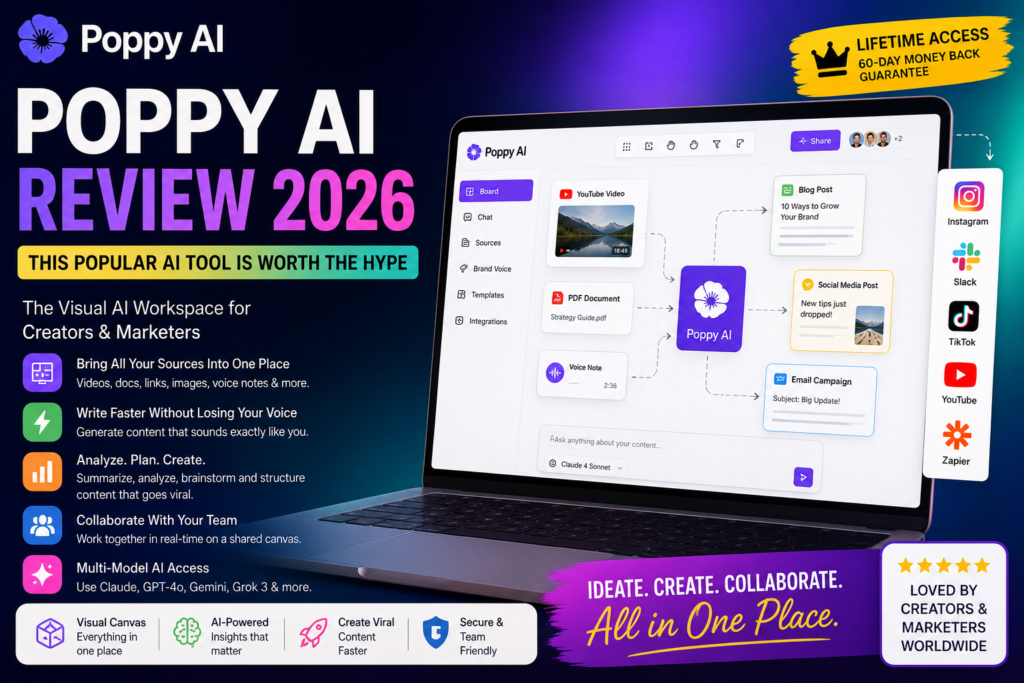
AI tools are becoming more popular every day, making it harder to choose the right one. Among them, Poppy AI has attracted attention for its visual workspace designed specifically for content creators and marketers. Unlike traditional AI chatbots that rely on a blank text box, Poppy AI uses a visual whiteboard where you can organise your files, references, and preferred AI models in one workspace.
In the Poppy AI Review, I strongly say to you that Poppy AI is a very strong and worthy AI tool.
My Honest Review of Poppy AI?
Poppy AI is a powerful AI tool. It drops sources like videos, docs, and voice notes directly into a canvas to create content that sounds like you. Poppy AI lets users organise videos, PDFs, voice notes, and web pages on a visual board. The AI then uses all of these sources together to generate more accurate and personalised content. I researched for a long time about Poppy AI, and then I wrote the Poppy AI Review in 2026.
Visit AppsumoAt-a-glance
|
Feature |
Details |
| Best For |
Content Creators |
| Pricing | Lifetime Deal Available |
| Integrations | Slack, YouTube, Zapier |
| Rating |
⭐⭐⭐⭐☆ |
For more updates, please visit AppSumo.com.
Key Features of Poppy AI
Bring all your sources into one place.
You can drag and drop YouTube videos, TikToks, IG Reels, PDFs, images, and voice notes directly onto your board. Poppy AI can connect websites and documents and thus pull insights without you copying and pasting anything. It can organise everything on a persistent visual canvas that holds your sources, notes, and AI outputs together
Write faster without losing your voice.
Poppy AI can chat with ChatGPT and Claude in the same workspace without switching tabs or losing your thread. It can also generate scripts, posts, and emails directly from the sources on your board. Instead of generating content from a blank prompt, Poppy AI creates content using the sources you add to your workspace.
Analyse competitor content and steal angles.
Poppy AI can exactly summarise hours of video and podcast content. What you need to know. It can also analyse competitor content, websites, and documents to pull angles, hooks, and insights for campaigns. Without watching, reading, or listening to the whole thing, it can extract key takeaways from any source.
Plan and structure your content.
You can build mind maps to brainstorm narratives and campaign structures before you start writing. You can turn connected nodes into outlines, scripts, and tasks without leaving the canvas. See all your thinking and ideas in one view, so nothing falls through the cracks.
Multi-Model AI Access
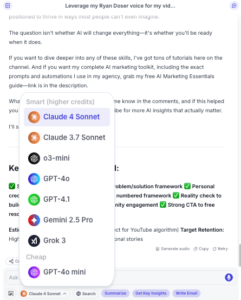
Poppy AI lets you pick between Claude Sonnet 4, GPT-4o, GPT-4.1, Google Gemini 2.5 Pro, o3 Mini, and Grok 3, unlike tools that hide which models run in the background. For content creation, I would stick with Claude Sonnet 4. It produces the cleanest copy.
Choose the plan that’s right for you.
Here is the plan for your convenience according to the picture.

This is a Poppy AI review when I research Poppy AI. So, if you buy any plan, please visit their website.
It’s lifetime access. Please visit poppy.ai.
Poppy AI Review FAQs
Can I use Poppy AI to study what makes competitor content go viral?
Yes, and this is its strongest use case. Create a board with your competitors’ like YouTube videos or TikTok clips; connect them to the chatbot alongside your own content, and ask it to blend their viral patterns with your voice. I tested this approach, and the output was genuinely actionable.
What happens if I don’t like Poppy AI after signing up?
They offer a 30-day money-back guarantee, though it’s buried in the fine print rather than displayed on the checkout page. No free trial exists, so you’re committing $399 upfront and requesting a refund if it doesn’t fit. Make sure to test the tool thoroughly within that first month.
How does Poppy AI’s board system compare to regular AI chat tools?
Standard tools like ChatGPT process one conversation at a time. Poppy lets you connect multiple content sources on a visual canvas, then reference all of them simultaneously in one chatbot session. For single-question tasks, it’s overkill. For multi-source research and ideation, the spatial layout adds real value.
Can Poppy AI post directly to my social media accounts?
No. Content stays inside the platform until you manually copy and paste it elsewhere. If you need creation and distribution in one tool, you’ll need to pair Poppy with a separate scheduler or choose a platform that bundles both features together.
My Honest Verdict of the Poppy AI Review
After testing Poppy AI, I found that it performs best for content research and idea organisation. However, it is very popular because the upfront annual cost makes it a more suitable investment for creators and digital marketers. And who will actively use the visual “board” and brand-training features rather than casual users?
Ready to Try Poppy AI?
If you think Poppy AI matches your workflow, visit the official website to check the latest pricing, features, and any available lifetime deals before making your decision.
After spending a few days researching Poppy AI. Then I write about the Poppy AI review.
For our other updates, please visit AI Tools, Software Deals, and WP Themes.