Troop Messenger Review
Choosing the right team communication tool is not always easy. Some businesses need a simple chat application, while others need secure messaging, file sharing, video calls, and administrative controls in one place.
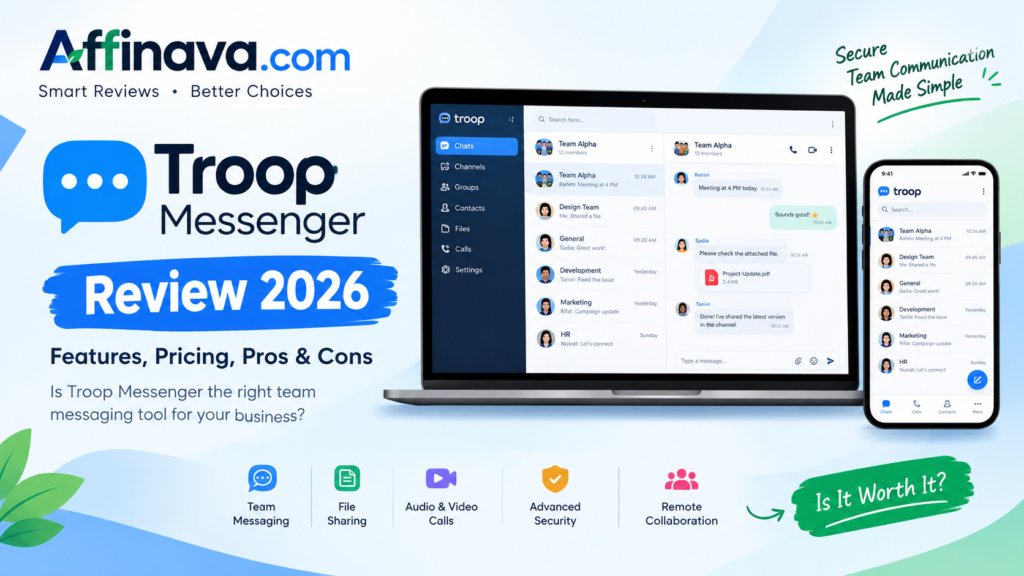
Troop Messenger is a team communication platform designed to help businesses and organizations communicate and collaborate more efficiently. It offers direct messaging, group chats, audio and video calls, file sharing, and security-focused features.
But is Troop Messenger the right choice for your team in 2026? In this review, we’ll explore its key features, pricing, advantages, disadvantages, and the types of teams that may benefit most from it.
What Is Troop Messenger?
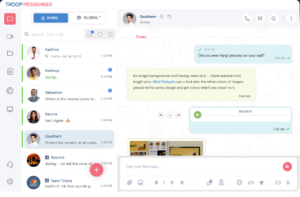
Troop Messenger is a business messaging and collaboration platform that helps teams communicate through a centralized workspace. Instead of relying on separate tools for every conversation, team members can use it to exchange messages, share files, and communicate through calls.
The platform is designed for businesses of different sizes, including small teams, growing companies, and larger organizations with more advanced communication and security requirements.
It also offers web, desktop, and mobile access, allowing employees to stay connected from different devices.
You can learn more about the platform on the official Troop Messenger website.
Troop Messenger Review: Key Features
1. Direct and Group Messaging
Messaging is at the heart of Troop Messenger. Team members can communicate privately through one-to-one chats or discuss projects in group conversations.
This can be useful when a business wants to keep project discussions, internal updates, and everyday communication organized in one place.
2. File Sharing and Search
Teams often need to exchange documents, images, and other files while working together. Troop Messenger supports file sharing and search tools that help users find conversations and shared information.
For teams that regularly exchange work documents, searchable communication can make everyday collaboration more convenient.
3. Audio and Video Calling
Text messages are not always enough to explain an idea or resolve a problem. Troop Messenger includes audio and video communication features, with additional group calling and conferencing options available on higher-tier plans.
This can be helpful for remote teams, project discussions, and meetings between employees in different locations.
4. Screen Sharing and Collaboration
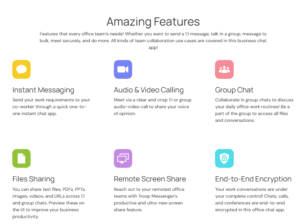
Remote screen sharing is available on the Enterprise plan, according to the published pricing information.
Screen sharing can help colleagues explain technical problems, demonstrate a process, or review work together without needing to sit in the same room.
However, teams should check the plan details before subscribing if screen sharing is an essential requirement.
5. Security and Administrative Controls
Businesses handling confidential information may need more than ordinary messaging features.
Troop Messenger promotes security features such as encryption, access controls, and administrative management. Higher-tier plans also list features such as LDAP, Active Directory, and single sign-on (SSO).
These capabilities may be particularly relevant to organizations with formal IT policies. Still, businesses with strict security or regulatory requirements should review the provider’s current security documentation and verify that its protections meet their specific needs.
6. Multiple Devices and Deployment Options
Troop Messenger supports communication across desktop and mobile devices. The company also offers deployment options for organizations that prefer different approaches to hosting their communication systems.
This flexibility may appeal to teams with employees working from offices, homes, or multiple locations.
Troop Messenger Review: Pricing in 2026
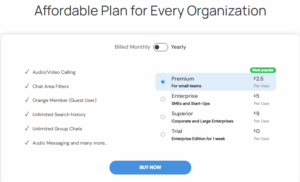
Troop Messenger offers different plans depending on the features and storage a team needs. The following prices are listed on its official pricing page and should be confirmed before purchase.
| Plan | Published price | Main highlights |
|---|---|---|
| Free | $0/user/month | Basic messaging, group chats, file sharing, and 50 GB storage |
| Premium | $2.50/user/month | Advanced messaging features, guest access controls, and 150 GB storage |
| Enterprise | $5/user/month | Group calling, remote screen sharing, advanced administration, and 1 TB storage |
| Superior | $9/user/month | Listed as coming soon; advanced features are advertised. |
Prices may vary with billing terms, and plan availability or included features can change. Check the official pricing page for the latest details.
Which Plan Should You Choose?
The free plan may be a starting point for teams that want to explore basic communication features, subject to the current eligibility and availability terms.
Premium may be worth considering for small businesses that need more messaging controls and additional storage.
Enterprise may suit organizations that rely on group meetings, screen sharing, and more advanced administration.
The superior plan should be considered only after confirming that it is available and that its advertised features are included in the offer.
Before paying, compare the features your team actually needs with the cost per user. A more expensive plan is not necessarily better if your team will not use its additional capabilities.
Troop Messenger Review: Pros and Cons
Pros
- Useful communication tools: Combines messaging, file sharing, and calling features in one platform.
- Options for different team sizes: Offers plans aimed at different organizational requirements.
- Security-focused features: Provides security and access-control capabilities that may appeal to businesses.
- Cross-device access: Supports communication across desktop and mobile environments.
- Advanced collaboration options: Higher-tier plans include features such as group calling and remote screen sharing.
- Flexible deployment: Organizations can explore hosted and on-premise options depending on their needs.
Cons
- Advanced features cost more: Some collaboration and administration tools require higher-tier plans.
- Pricing needs careful checking: Available plans and advertised features should be confirmed before subscribing.
- Integration requirements matter: Teams that depend on many specific third-party tools should verify compatibility first.
- May be more than a small team needs: Individuals or very small teams looking only for basic chat may prefer a simpler solution.
- Security claims need verification: Organizations with strict compliance requirements should independently assess the platform’s security documentation.
Troop Messenger Review: Who Should Use?
Troop Messenger may be worth considering if you manage a business or team that needs organized communication beyond ordinary email.
It could be a good fit for:
- Remote and hybrid teams that communicate throughout the workday.
- Small and medium-sized businesses coordinating projects.
- Organizations that regularly exchange files and hold online meetings.
- Companies that need administrative controls for internal communication.
- Businesses exploring self-hosted or on-premise communication solutions.
However, freelancers, individual users, or small teams with very basic communication needs may not require all the features available on the platform.
Troop Messenger vs. Other Team Communication Tools
Before making a decision, it is worth comparing Troop Messenger with other established collaboration platforms.
Slack: A potential choice for teams that rely heavily on channels and a broad integration ecosystem.
Microsoft Teams: Worth exploring for businesses already using Microsoft 365 and its collaboration tools.
Troop Messenger: May appeal to organizations that prioritize team messaging, communication features, administrative controls, and deployment flexibility.
The best choice depends on your existing software, team size, security requirements, budget, and preferred workflow. Compare current plans and features rather than choosing based on price alone.
Troop Messenger Review: Is Worth It in 2026?
Troop Messenger brings several useful business communication features together, including direct messaging, group chats, file sharing, calls, and administrative controls. Its higher-tier options may be attractive to organizations that need more structured collaboration and management capabilities.
On the other hand, not every team needs an extensive communication platform. Pricing, available integrations, deployment requirements, and the features included in each plan should all factor into the decision.
Our verdict: Troop Messenger is worth exploring for businesses that need a dedicated team communication platform with security-focused and collaboration features. Before committing to a paid plan, review the current pricing and test whether the platform fits your team’s everyday workflow.
Troop Messenger Review: FAQs
Is Troop Messenger free?
Troop Messenger’s official pricing page lists a free plan alongside paid options. Check the current terms and eligibility requirements to confirm whether it meets your needs.
How much does Troop Messenger cost?
The published pricing page lists Premium at $2.50 and Enterprise at $5 per user per month. Confirm the latest prices and billing terms on the official website before purchasing.
Is Troop Messenger suitable for remote teams?
It can be suitable for remote teams that need messaging, file sharing, audio or video calls, and other collaboration features.
Does Troop Messenger support video calls?
Yes. The platform lists one-to-one video calling and additional group calling or conferencing capabilities, depending on the plan.
Who should consider Troop Messenger?
Businesses and organizations that need centralized team communication, collaboration tools, and administrative controls may find it worth evaluating.
Troop Messenger Review: Final Thoughts
The right team communication software should make collaboration easier without adding unnecessary cost or complexity. Troop Messenger offers a range of messaging and collaboration capabilities that may suit businesses with more demanding communication needs.
Take time to compare its plans, check the integrations you rely on, and confirm the security features required by your organization before making a final decision.
If it matches your team’s requirements, Troop Messenger could be a useful option to add to your shortlist.
Ready to explore Troop Messenger? Visit the platform to check its current features and pricing.
Affiliate Disclosure: This article may contain affiliate links. If you purchase through an affiliate link, Affinava may earn a commission at no additional cost to you. This does not change our goal of providing useful and honest information to our readers.